Creeza
MacOS app for designing with AI.
This case study is protected
Enter the access code to continue.
Last updated 17 September 2026
Work in progress
Creeza is still being built, so this case study writes itself using AI. It regenerates from the project description in my CLAUDE.md and from screenshots the app captures automatically as features land. I'm prototyping, exploring and validating as I build, so some of what you see here is an idea being tested rather than a finished decision. I direct the page like an editor, shaping it by taste and giving notes; Claude Code does the rest. This is the state of the work today, not a retrospective written after the fact, so come back often as the project keeps moving.
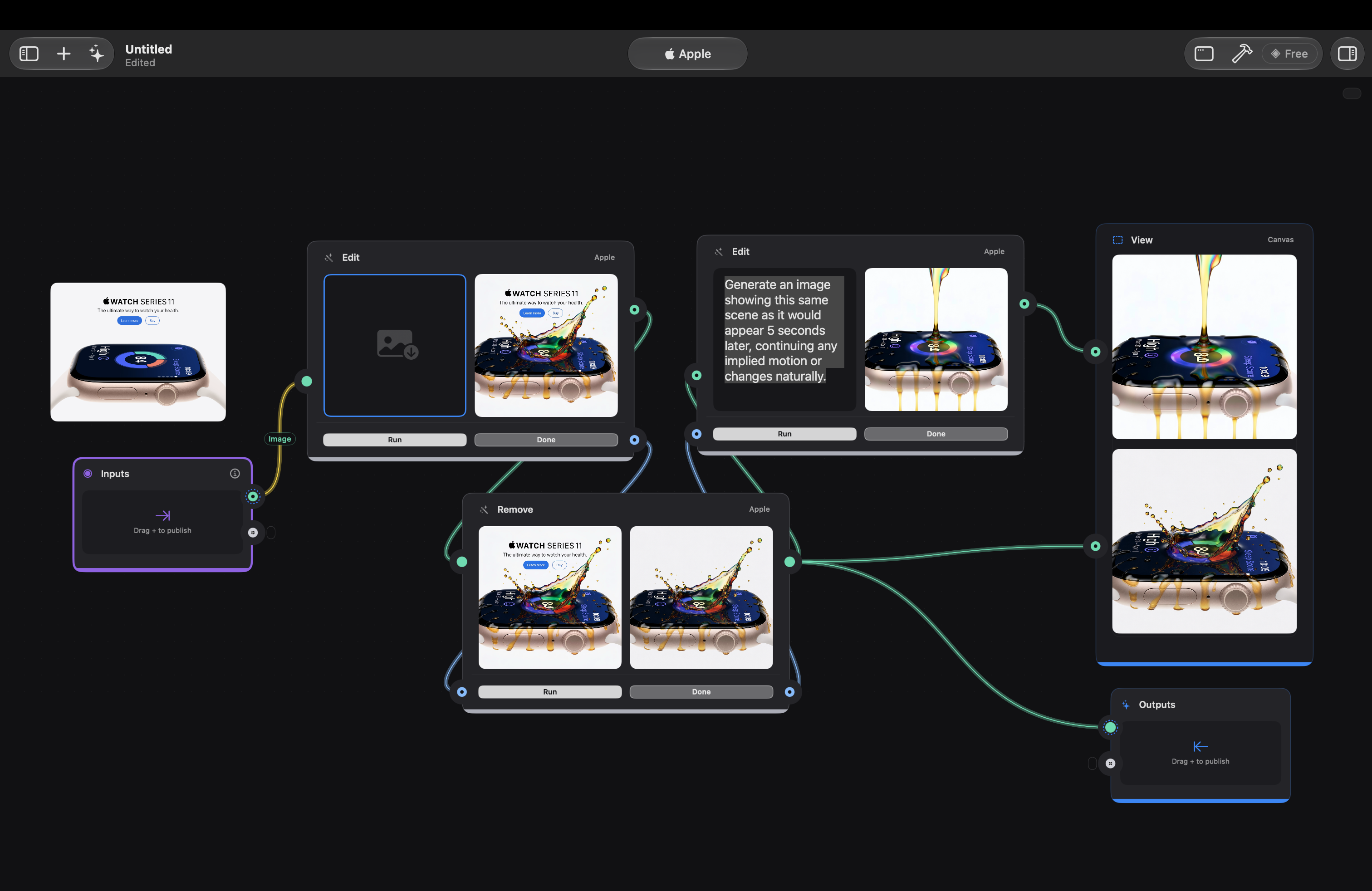
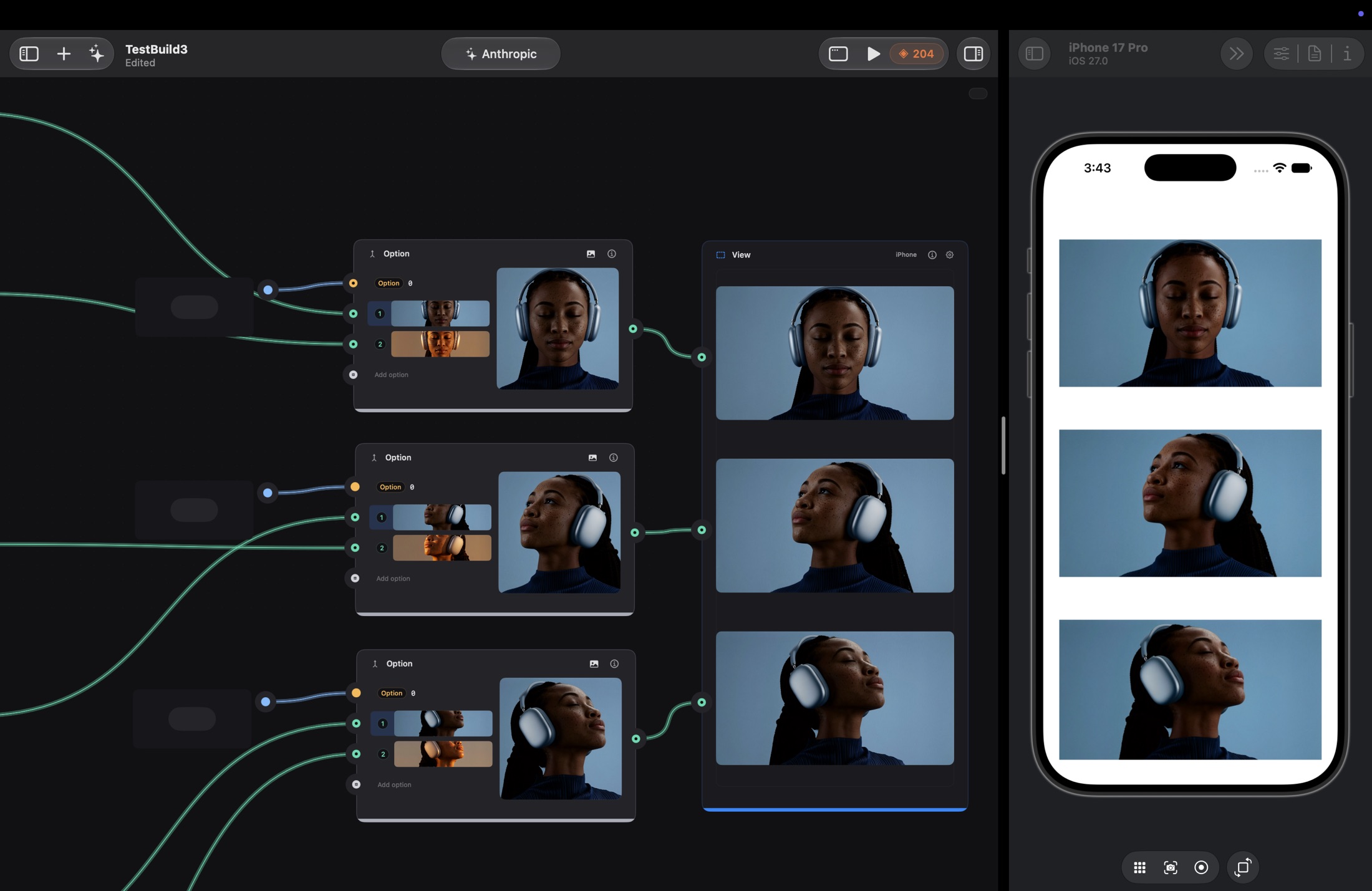
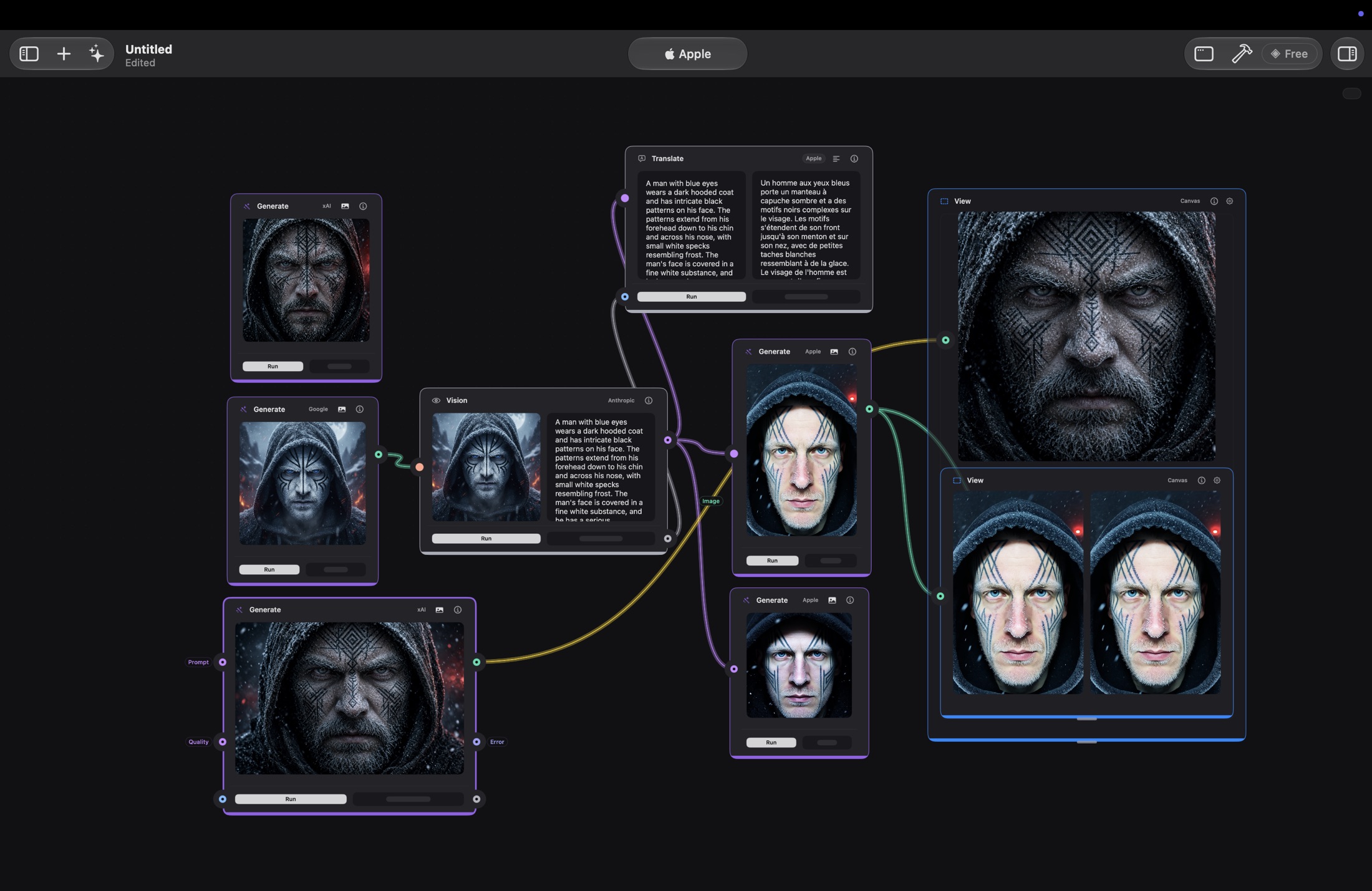
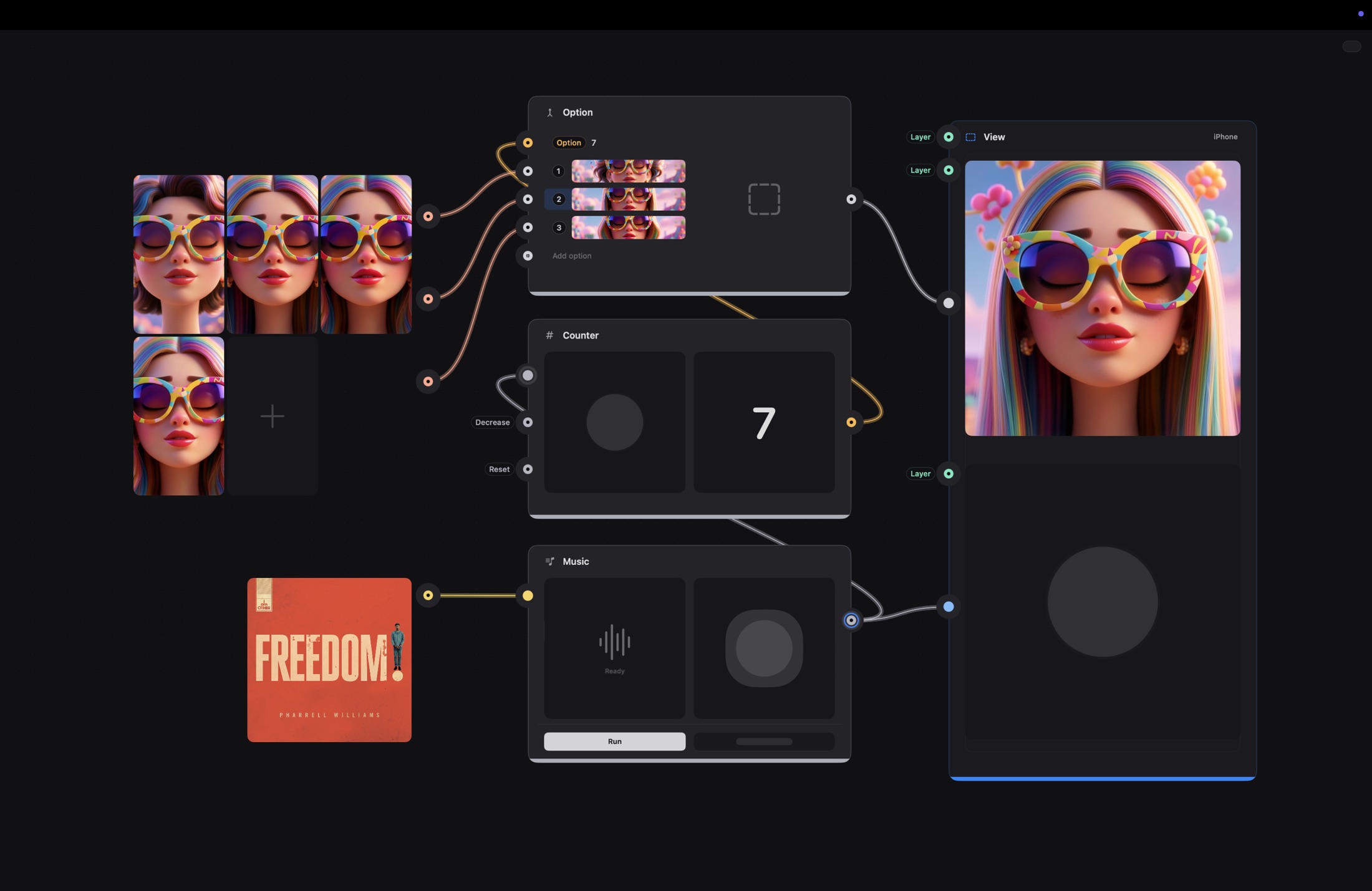
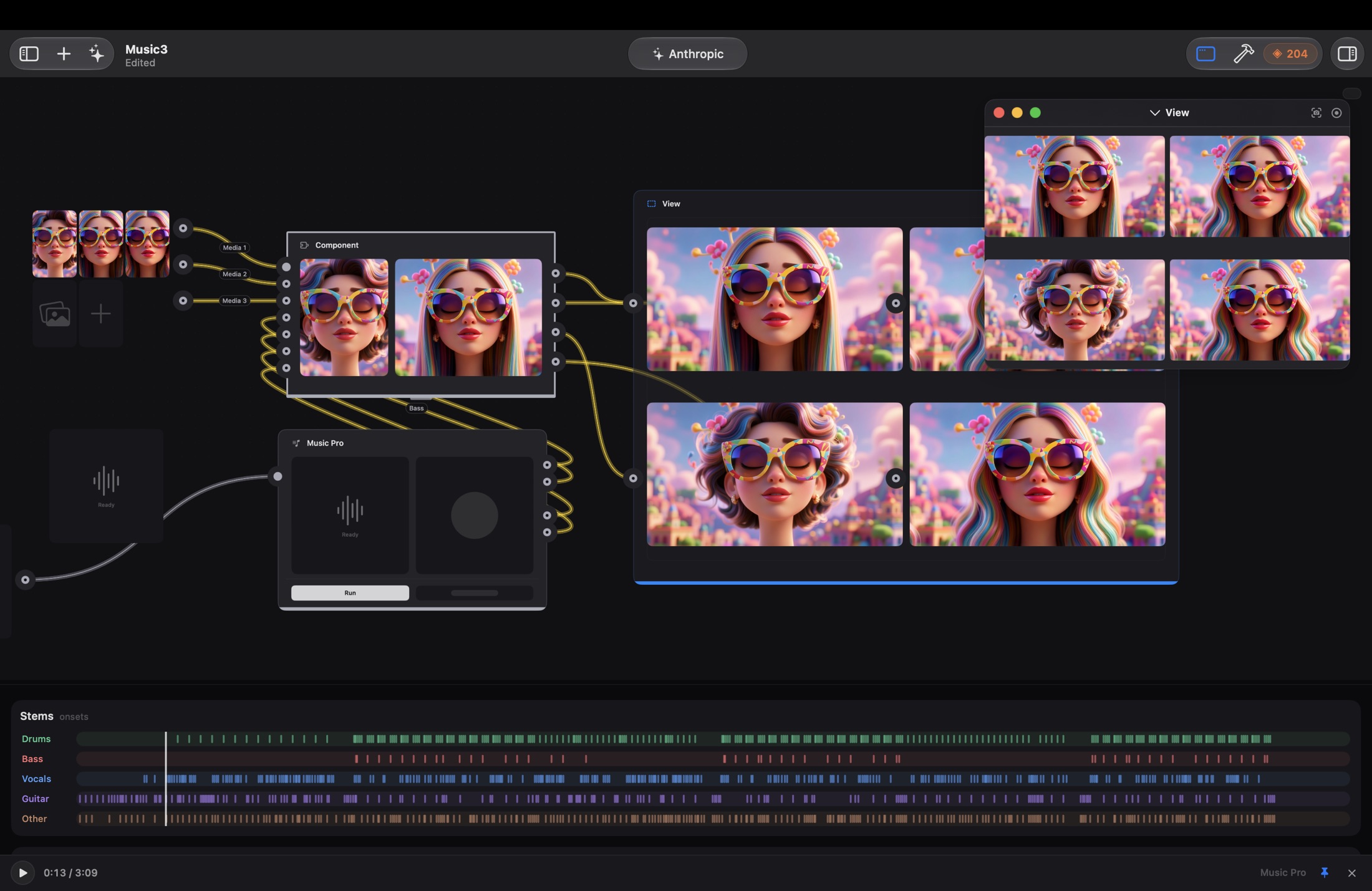
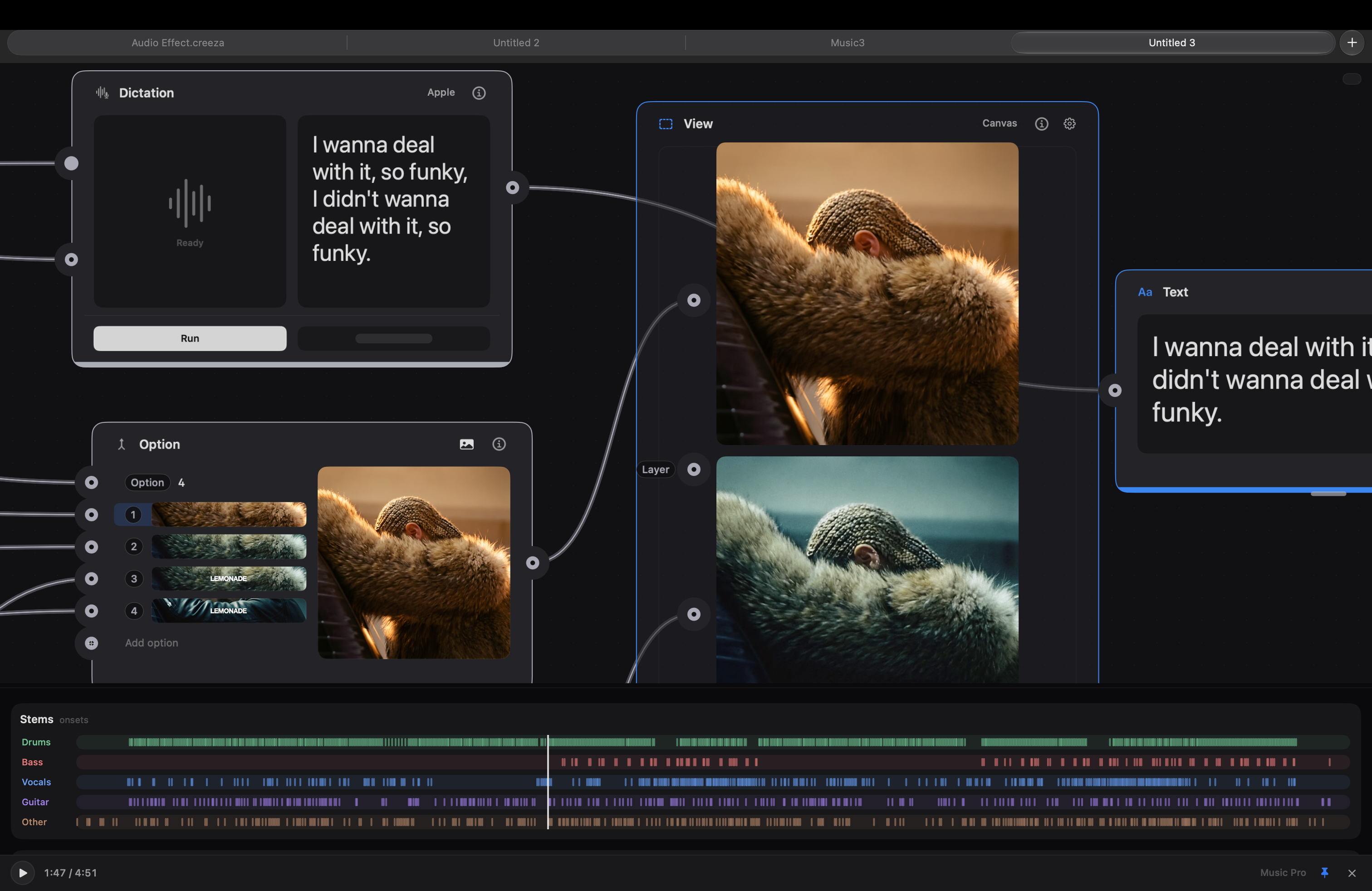
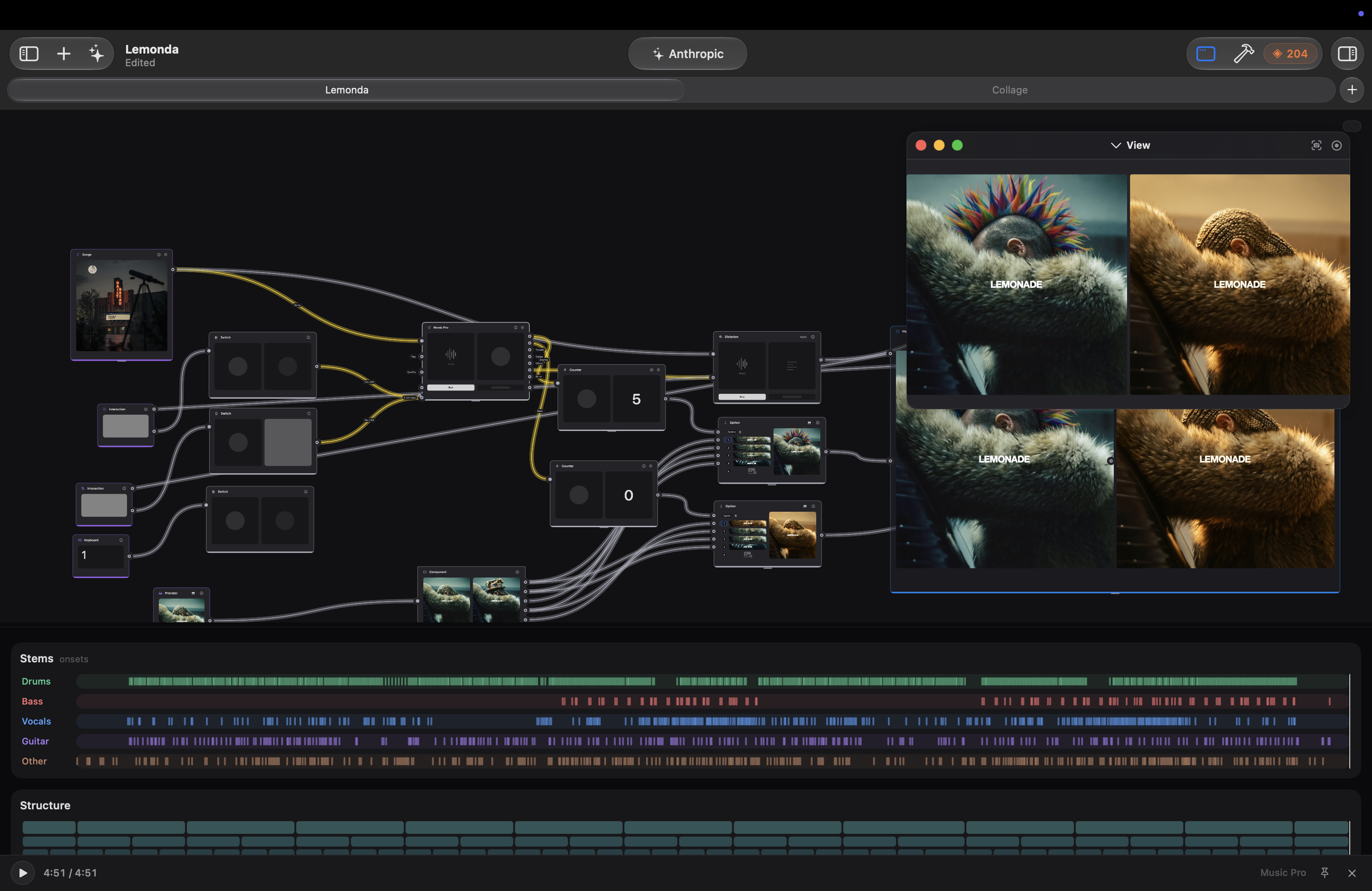
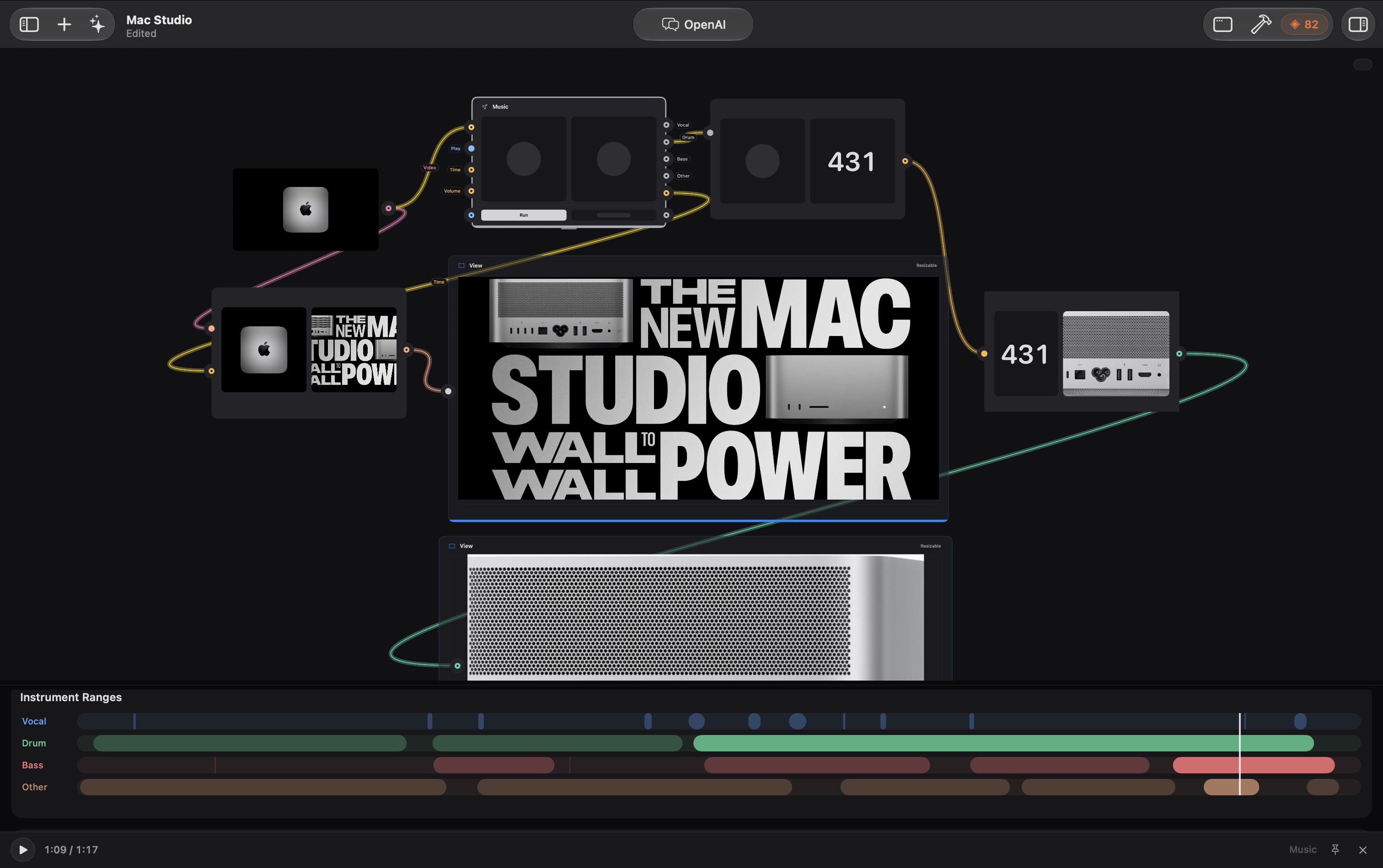
Eight documents, end to end. Models, media and logic sit side by side as patches, wired into a View that renders as you work. Every step shows its own result.
Overview
You drag in the things you need, a camera, a photo, a model, a sound, connect them with cables, and every step shows its own result right there on the canvas. No render step, no separate preview window. Generation and analysis take the time they take; everything else shows itself as you wire it.
Read moreRead less
It's the directness of Quartz Composer and Origami, pointed at the AI era. And what you build isn't a mockup: the same file runs inside a real app, so the thing you tuned is the thing that ships. And an early native iPad editor now opens the same documents, still catching up with the Mac.
The name is a portmanteau: creez, French for “create,” and sprezzatura, the Italian art of making hard things look effortless.
Two builds, one file format
Creeza
The sandboxed build for the Mac App Store, using Apple services: Apple Intelligence, Image Playground, Vision, Speech and Translation behind a supported subset of the library. Send to Xcode included.
Creeza Pro
Adds direct third-party services, credits, the external AI and design side panels, a real terminal and CLI patches, plus the creative extras: Tab View, Collage, Tear, AV Image, Music Controls and stem separation. Build & Run straight from the app.
Read moreRead less
Both editions open the same files. If a document uses a Pro patch and you're on the Store build, it stays put with a badge and its execution paused; nothing is quietly removed from your work. Supported provider-backed patches migrate to Apple's services in Store.
The Mac editor needs macOS 26. Apple Intelligence needs supported hardware and enabled models; music analysis and Markup-guided masks need macOS 27. An initial iPadOS 26 editor opens the same documents, lets you move and wire patches with touch or Pencil, and previews supported compositions. It's an editor, not just a player, and it's early: a smaller library, no third-party keys, no Xcode export yet.
Prompt in one app, download, re-import, discover it doesn't work in context, start again. How a model behaves inside a real interface is the part you never get to feel.
One local canvas where the models, the media and the layout are the same document. Wire an asset into the thing that uses it and see the result at full fidelity, as soon as it's ready.
AI makes the assets
Images, sound, voice, video and 3D are made right next to the layout that uses them. No round trip, no re-importing, no naming files.
Read moreRead less
Generate sits in the graph as a processor like any other, with Run and Done in the same Action strip every patch uses. When Apple's Image Playground finishes, the sheet closes itself instead of waiting for a click, the preview hinge places itself to suit the shape of what came back, and the Quality knob is hidden on the models that ignore it rather than pretending to matter.
A lot of it runs on your Mac with Apple's own models: no key, no account, no Creeza credits. When you want a particular look or voice, the same patch in Pro reaches out to OpenAI, Gemini, Stability or ElevenLabs, so switching provider is one connection rather than a rebuild.
Auto-confirm reads the Image Playground sheet through the same accessibility tree VoiceOver reads, and only fires when the patch's Done output is actually wired, so it never steals a click you meant to make. Provider action buttons fade in on hover or selection, so a resting patch is just its content, and the preview/inline toggle moved out of the header into the info popover where it reads as a setting rather than a mystery glyph.
Several attempts can live side by side. Keep four versions in one place, flip between them, and the layout updates around whichever one you're looking at.
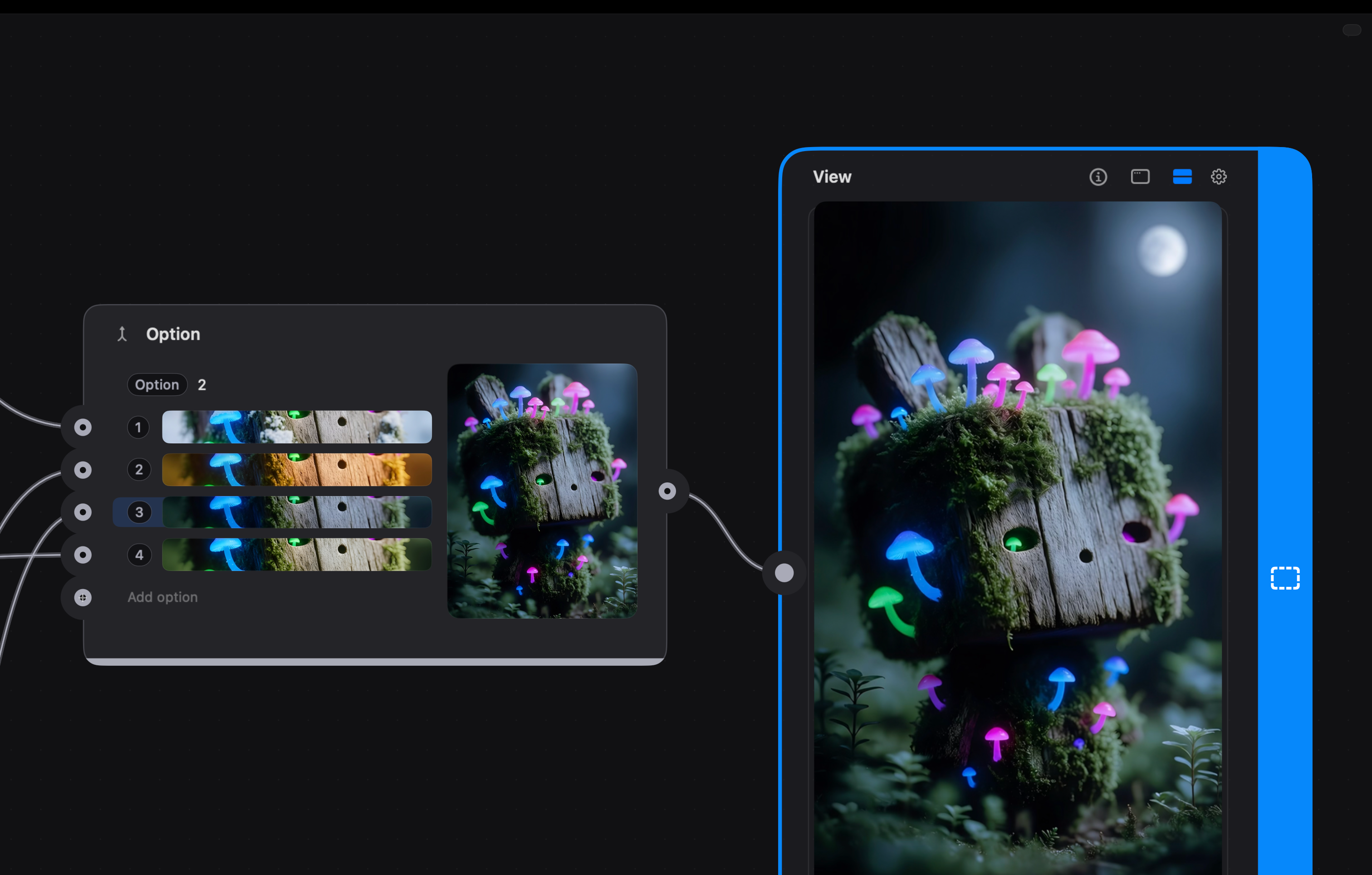
Assets generated in the graph, landing straight in the layout that uses them. Four goes at the same image, held in one place, no duplicated layers, no version names.
Pick the model, not the app
Every service sits behind the same kind of patch. Choose the one you want from a menu, and swapping it for another is one connection, not a rebuild.
Read moreRead less
And the badge you picked is the model that ran. Ask for something a service can't do and Creeza tells you, instead of quietly generating on something else. Apple's services are in both Mac editions; the direct third-party providers below are Pro.
Apple, on your Mac
The Foundation Models, Image Playground, Vision, Speech and Translation. Text, images, understanding, transcription and voices with no key, no account and no Creeza credits. Apple Cloud, where available, runs on Apple's own quota.
OpenAI
Language, code and image generation and editing, for when you want that particular look or a model that reasons harder than the on-device one.
Anthropic
Claude for text, structure and code, including the Claude CLI patch that writes new patches inside your document (Pro).
Google AI
Gemini for text and images, Veo for video. The video path is separate on purpose, because video models and image models aren’t interchangeable.
xAI
Grok for text, code and images, chat-completions for the words, the Imagine API for pictures, generating or editing depending on whether a reference image is wired. Animate can run on xAI video as well as Veo.
Stability AI
A different house style for stills, and the one to reach for when a prompt lands better outside the big general-purpose models.
ElevenLabs
Voices, dubbing and invented sound effects, when Apple’s speech synthesis isn’t the performance you’re after.
BytePlus ModelArk
Seedance for video generation, alongside Veo, so a shot has more than one model to come from.
LALAL.AI
Stem separation in the cloud, the second route beside local separation in Music Separation. Both routes are Pro.
On-device work uses no Creeza credits. The direct third-party services are Pro and draw credits only when you actually call one; some routes use your own key instead.
Pay only for what leaves your Mac
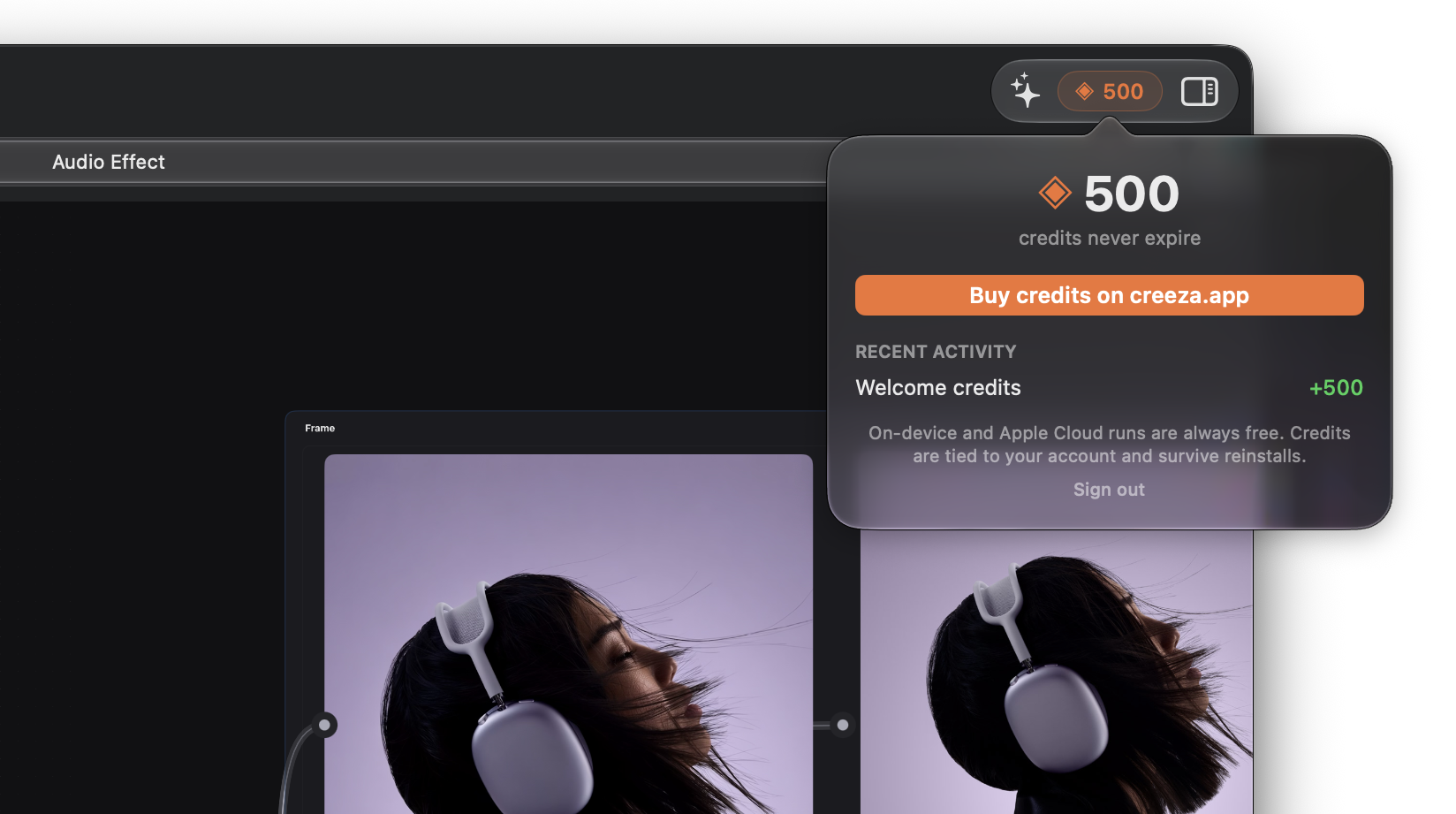
Anything Creeza runs on-device costs nothing in credits. Credits, a Pro feature, cover the direct third-party services, the image models, the music models, the large language models, and only when you actually call one.
The balance sits in the toolbar with a running log of what spent it, so the cost of an experiment is visible while you're making it rather than at the end of the month.
Read moreRead less
No card entry, no billing portal, no per-service API keys to manage for the routes credits cover. Apple Cloud sits outside all of this: it's Apple's quota, subject to availability and entitlement, not Creeza spending.
Behind it is real infrastructure rather than a mock: a Postgres-backed service with per-host TLS, and balance totals reconciled against the database.
Your file is the product
Most prototypes get read once and rebuilt from scratch. This one gets dropped into the app and runs, on Mac, iPhone, Apple TV or Vision Pro.
Read moreRead less
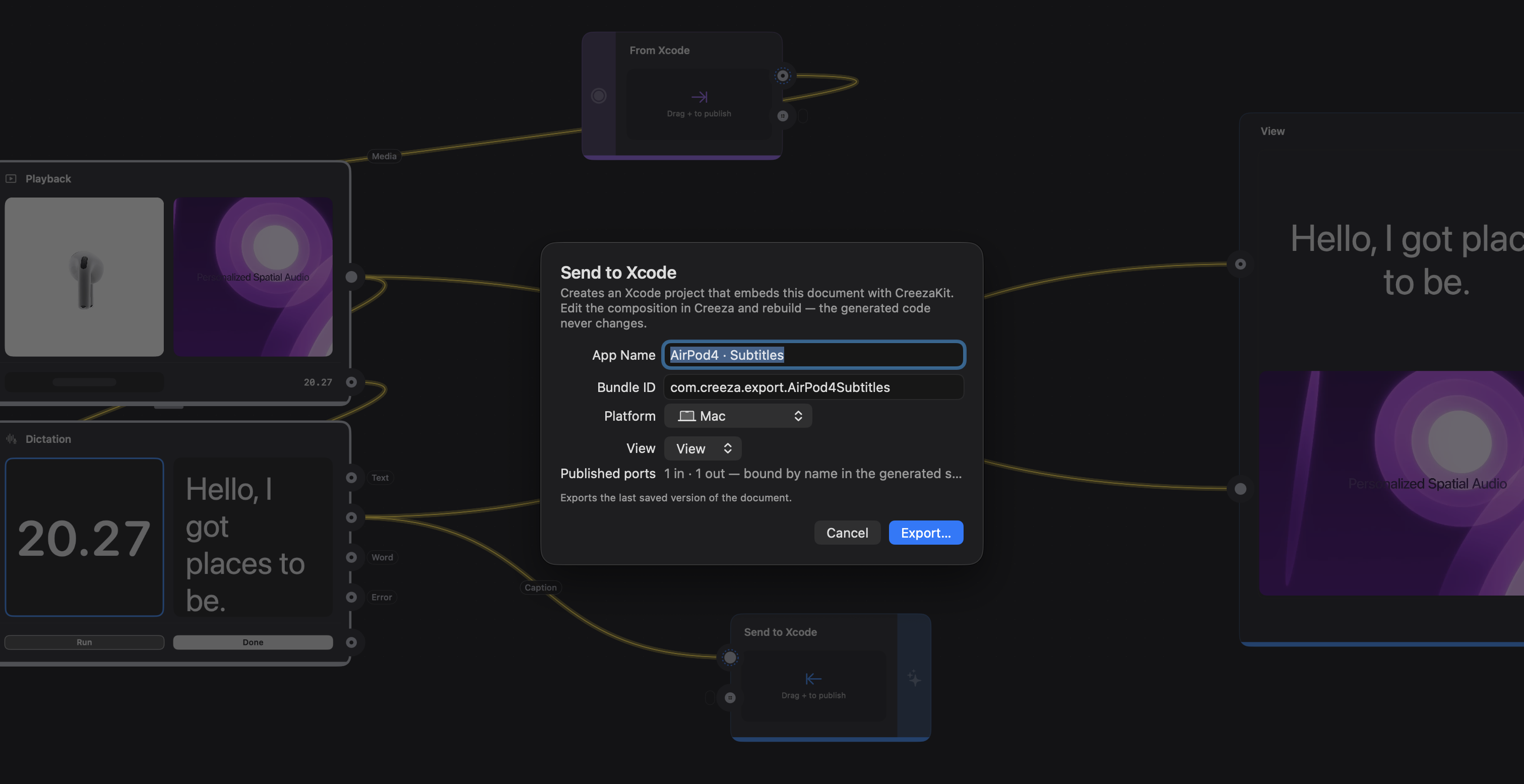
And it runs alive. The embedded file isn't a static render: pulses tick, animations play, the music actually sounds, and a tap on the host's screen reaches the graph. Send to Xcode packages the composition, its runtime and a small host app, in both Mac editions. Open it in Xcode and run it; keep tuning the document and update the composition without overwriting the engineer's host code.
File ▸ Send to Xcode exports a ready-to-open project with a local CreezaKit source package; you need Xcode, not the Creeza repository. Store offers Update Xcode Project, then you run in Xcode. Pro adds Build & Run (⌘R) and drives the toolchain itself. Updating refreshes the document while preserving customised host sources, project settings and the pinned runtime; export into a new folder to pick up a newer bundled CreezaKit. Physical devices need signing.
CreezaKit is an early runtime, but it's real: sample hosts for Mac, iOS and tvOS load the same documents today. It interprets a supported subset of the editor: the same supported composition runs in a real app, not every patch on every device. Generated scripts and live Filter recipes keep their saved output but don't execute in the runtime yet, and web layers can't run on tvOS. Touch goes through a Touch patch that turns a press on a region into Down and Tap signals, even inside collapsed components. On iOS, a View with exactly one Tab Bar can become a real UITabBarController, with tab selection flowing back into the graph.
It's a proper Mac app about it too: tabs, recents, duplicate, rename, autosave. Documents carry their own media inside, so sending one to someone just works.
CreezaKit
Engineers add one Swift package and point it at the document. CreezaKit renders the file natively, exposes its inputs as ordinary Swift properties and its outputs as callbacks, so wiring a Creeza scene into an existing screen is a few lines rather than a rebuild: CreezaRuntime(contentsOf:) loads the package, CreezaView presents a named View. The graph stays the source of truth, which means designers keep iterating on the same file after integration.
Say it, don't hunt for it
Search for a patch, describe a composition, or ask Creeza to change what you selected. One conversation stays with the document, so the next request can build on the last.
Read moreRead less
Drop a cable in empty space and the right thing is already at the top of the list. Type and matching library results appear; press Send and Creeza takes it as a request, inspecting the graph, then adding, configuring, positioning, connecting, running or deleting patches, answering a question, or writing a custom patch when nothing fits. Results come in two columns, every patch wears its own symbol, and AI patches have a category of their own.
It reads the cable before you type. Two images in means image processors rank first, text tools sit below, and anything incompatible never appears at all.
Hit return on the top result and it lands wired up, inputs connected, ready to run. Typing alone never sends a request; Send does. Selection is captured when a request starts, so patches Creeza inserts mid-request don't change what "selected" means. Every edit is undoable, and closing the picker keeps the conversation for the open document.
The picker lives on the canvas by default. An optional toolbar placement opens results below a native search field with microphone and Send/Stop controls, asking "Where shall we begin?" on an empty document and "What shall we do next?" otherwise. Store uses Apple Intelligence; Pro offers additional engines and an installed Claude CLI as a fallback on Auto. Voice conversation exists, though live microphone and paid-provider runs are tested separately from the documented local Apple tests.
The AI category sits alongside the domain filters rather than replacing them, and each symbol comes from the patch's own definition, so the picker, the canvas and the docs all agree on what a thing looks like.
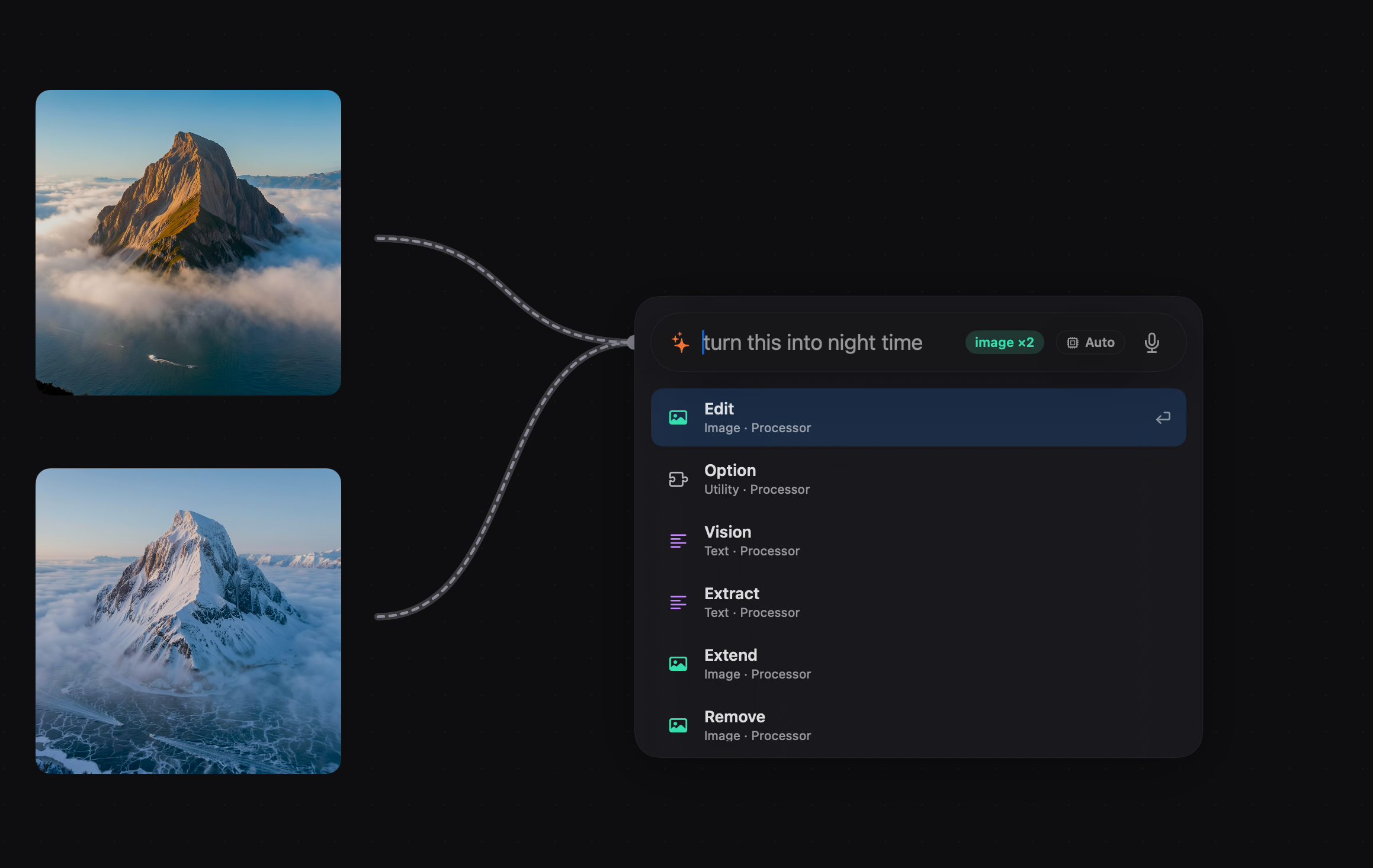
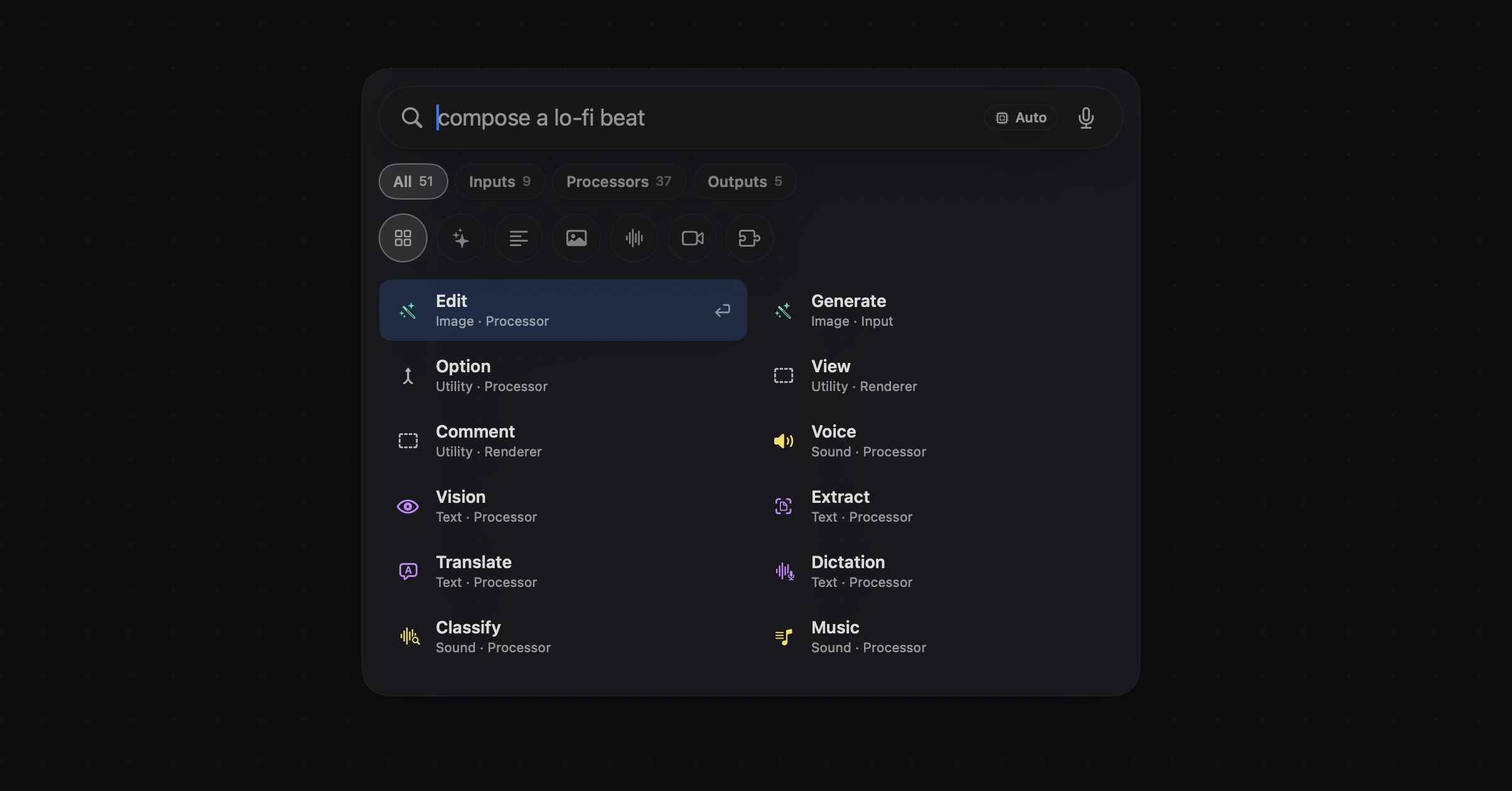
Two images on the cable, a plain-language request, and a ranked shortlist, Edit first. The AI category sits alongside the domain filters, results in two columns, each patch wearing its own symbol.
What you get to play with
Media & AI images
Make an image, edit one, extend past its edges, crop, mask, scribble a Markup and turn it into a cutout, run it through a Filter you described. Body finds bodies, faces or hands. Remove, Extract, Upscale, Glitch, and turning a still into 3D or motion are Pro.
Text & understanding
Intelligence for prompts with context and memory, Vision to describe what's in a picture, Translate for copy, Dictation for speech to text, and Function for a custom patch you describe. Video dubbing and the Claude CLI patch are Pro.
Sound & music
Speak text aloud, invent sound effects, compose and remix music, recognise sounds. Read a track's beat, key and structure so your interface can move with it, then trim, pitch, wash it out with Fade to Grey, or stutter audio and video in time with Beat Repeater. Composing, remixing, sound effects, crossfades, Music Pro and stem separation are Pro.
Inputs
Camera, Photos, Songs, the keyboard, a MIDI controller or a gamepad, Touch regions that turn presses into signals, and Document or Data for anything you drop, paste or type in. Motion (Pro) reads supported sources including AirPods, so a head turn or a nod becomes a value.
Logic & timing
Count, compare, switch, sample and hold, pulse, loop, and draw your own animation curve on a timeline. If you know Origami or Quartz Composer, this part needs no introduction.
Output & layout
Views that nest, Layers and Text, Scroll, Collection, Carousel, Slider, Tab Bar and Status Bar, Playback you can drive from the graph, an Apple Maps layer whose camera any patch can fly, a Capture artboard that publishes stills and recordings as outputs, Web, and comments for the next person who opens the file. Tab View, Music Controls, Collage, Tear and AV Image are Pro.
Model & service coverage
Apple's models in both Mac editions. In Pro, OpenAI, Anthropic, Google AI, xAI's Grok, ElevenLabs, Stability AI, BytePlus ModelArk and LALAL.AI, all behind the same kind of patch, so swapping one for another is one connection. Pick a model that can't do the job and Creeza tells you, rather than quietly generating on something else behind the badge you chose. The Store picker also hides some utility patches (Option, Counter, Switch, Math and friends) that the assistant can still route to.
It can see what you dropped in
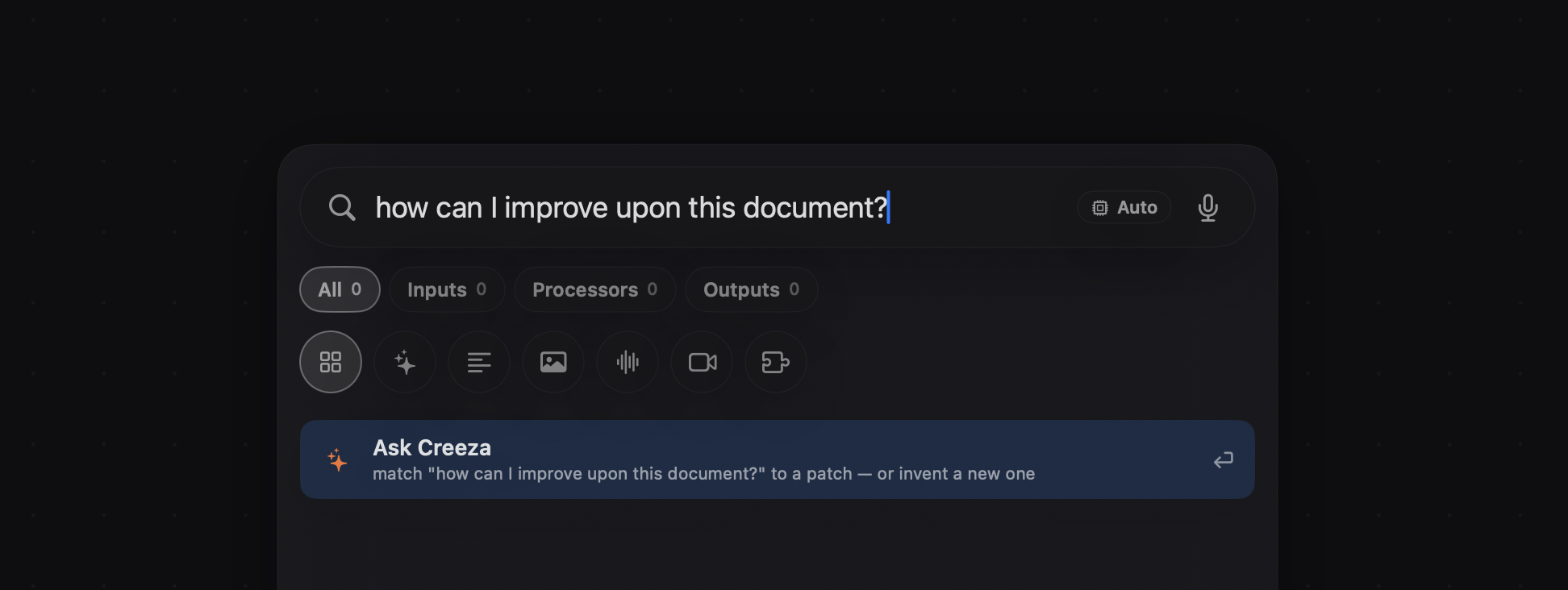
Hand Creeza an image and it will tell you what's in it, read the text off it, and find the subject. Your layout can then react to the picture instead of ignoring it.
Read moreRead less
That description is just a value, so it can caption the image, feed the next prompt, or decide which of three layouts an asset belongs in. Point it at a folder and the same graph sorts and re-lays every file in it.
Extract pulls the words out of a screenshot or a photo, which makes real content easy to get at when all you have is a picture of it.
It runs on your Mac, so you can throw a hundred images at it without a bill, even if each one takes a moment.
Body takes the same inputs, images, video or a live Camera stream, and picks one detection mode at a time: rectangles for bodies, landmarks and available angles for faces, joints and pinch data for hands. Wire a pinch into a value, or a face position into a layout. These are detections and temporary tracks, not identity recognition. Markup goes the other way: scribble over an object and Mask uses the drawing as guidance for a clean cutout that keeps the source pixels intact (macOS 27, with an initial Apple model download). Canvas drawing is different again: pen, highlighter, shapes and arrows that annotate the graph, saved with the document but never rendered into the artboard.
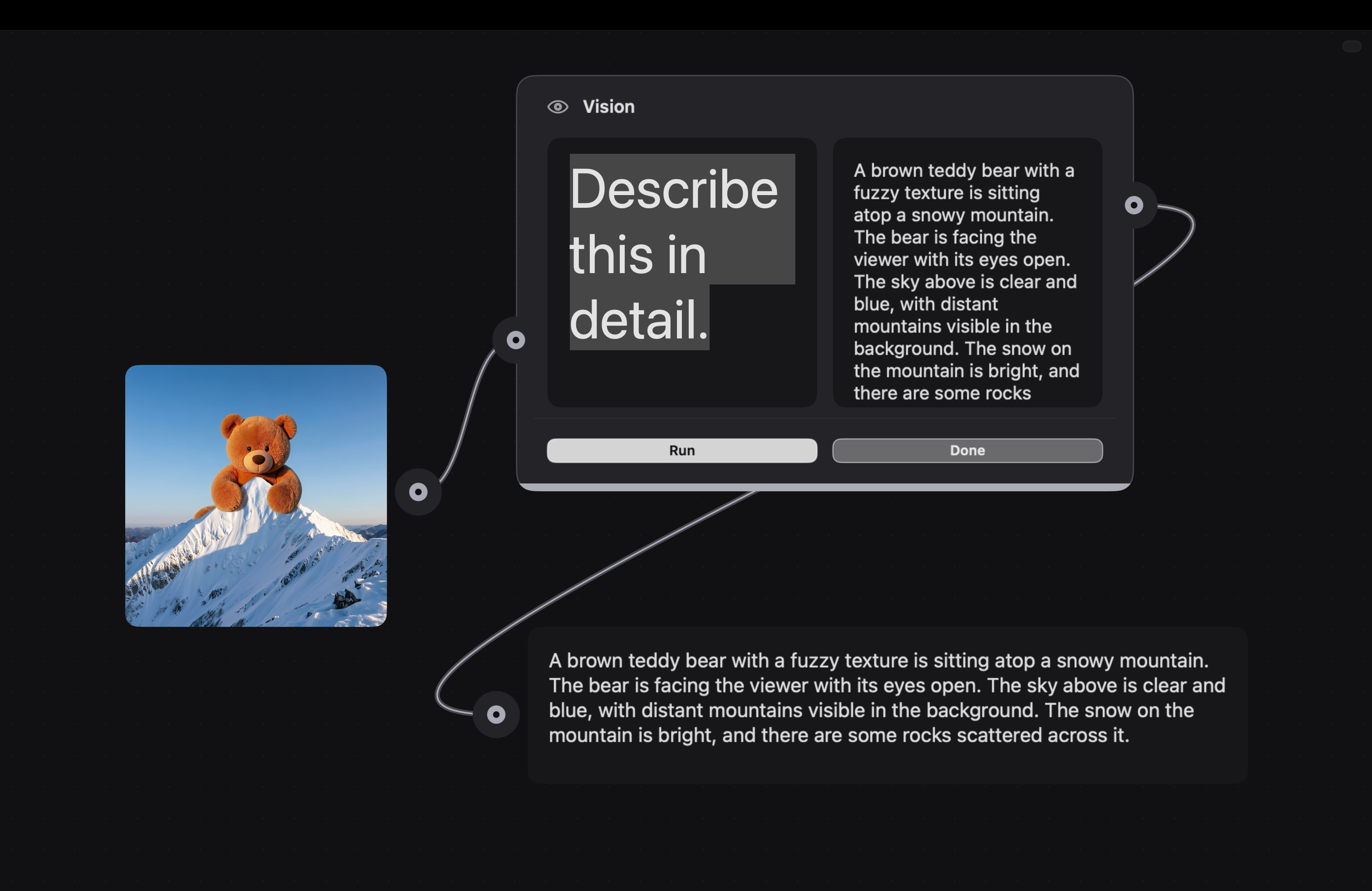
Vision doesn't stop at the media you drop in. Creeza captures the canvas itself and reads it the same way, so the picker knows what you're looking at, not just what you typed.
Read moreRead less
When a request doesn't match anything in the library, the picker falls back to Ask Creeza: same Vision path, reasoning over what's actually on the canvas rather than a keyword guess, so it can match you to a patch, or invent a new one on the spot.
Motion that lands on the beat
Drop in a track and Creeza hears it. Motion doesn't approximate the music, it's driven by it.
Read moreRead less
See the track's structure below the canvas, then let it change the composition. A beat can rearrange a collage, a section change can choose a new layout, and stems can drive different parts of the scene. Music analysis needs macOS 27.
Tempo, key, downbeats and where the sections change all come out as values you can wire into anything. The music timeline follows your selection and can be pinned, with views for pace, activity, instrument ranges and stems where available.
Collage, Tear and AV Image (Pro) turn those signals into image compositions. AV Image takes up to eight images and five editorial layouts, with typography, grain and music-driven motion, rendered locally without an AI call per frame. Music Controls (Pro) supplies working transport and seeking as graph signals. Exported compositions replay the saved analysis; Pro can bundle cached stems into the document, and playback never reruns separation on the device.
No counting frames, no nudging keyframes until it feels close. Swap the song and the timing follows.
The Music patch also takes a Time input, so the playhead is a value like any other: wire a slider, a counter or another patch to it and scrub the track from the graph while everything downstream follows. Time as data, the same idea as the Timeline patches applied to audio analysis.
Beat Repeater's video monitor went through three implementations in a day. Seek-driven playback made the knobs buttery but stuttered on fine grids; swapping composition items keeps repeats locked to the grid at 1/8 and below, at the cost of a less smooth knob. Timing won, on purpose. Its ports are grouped Body, Action and Advanced, and it exposes a Time output other patches can consume.
Music
The listener. Beat, BPM, key, and the structure of the track (intro, drop, chorus) read on your Mac, no upload. Its outputs are the clock everything else runs on.
Beat Repeater
DJ-style stutter, but for picture as well as sound. Set the grid and repeat count and it chops audio and video together, always in time. A Play button auditions it in the patch, and an Enable switch A/Bs it against the dry signal.
Fade to Grey
A DJ wash-out for the audio: high-pass, delay and reverb on one knob. Wire the same value into your visual controls and the picture can drain with it. Tie it to the beat for a build, or to a gesture for a mood.
Treatments you can dial in
Crop, mask, upscale, lift a subject out, or run it through Glitch for real signal damage. The local controls move under your hand; the generated ones take the time the model takes.
Describe a filter and Creeza gives it controls you can wire. Ask for another adjustment and the patch changes in place, keeping compatible connections. Filter covers image recipes, constrained custom Metal effects and a Sound mode with native audio effects; Function is the blank custom-behaviour patch, describe its inputs, outputs and behaviour, then refine it again.
Read moreRead less
Cropping is now just resizing. Drag an image patch's corner and the output reframes to exactly what the preview shows you, on generated images and on photos you dropped in, so reframing is a drag rather than a trip to another app.
Effects chain and stack, and a chain you like becomes a component with only the knobs you care about exposed. Point it at every variant instead of repeating the same treatment by hand.
Any control can be handed to something else: a beat, a head turn, a slider, a playhead. Glitch on the downbeat, colour draining as a scene ends, a mask tightening as someone leans in.
Nothing is baked in. Change the source image weeks later and the whole treatment re-runs on it.
The crop reads its source from the patch's own preview assets rather than an input port, so it composes with whatever produced the image. Cells clip content at the cell's final frame, which is what makes the preview an honest promise of the output.
Refinement is careful about your cables. Compatible changes keep patch and port identities, values and connections; a change that would remove a connected port is previewed first and can be undone. AI designs the effect once; after that it runs locally, and no model is called when you turn a knob. Custom Metal effects render images to PNG, not a live camera or video shader pipeline, and Filter recipes don't yet execute inside CreezaKit exports.
A crop and treatment chain wrapped into a component, reused across every variant.
Words as live material
Speech becomes text, text becomes any language, and either can be spoken back in a voice you choose. Copy stops being placeholder.
Wire context into Intelligence, ask a question, and use the response anywhere in the graph. It can remember the conversation while the document is open, or return named JSON fields for the next patch.
Read moreRead less
Localisation becomes something you can see: run your layout in six languages and watch which strings break it, rather than finding out after handoff. Dub a whole video and the transcript, the timing and the voice all come from the same file.
Feed a line to a voice and hear it read. Hear how a prompt or an empty state actually sounds before anyone books a session.
It runs on your Mac, so nothing is uploaded.
Intelligence is an Apple-backed Processor with Prompt, Context, Instructions, Remember, Text or JSON output, Run, Stop and Reset. Done pulses after success, so it can trigger the next step: Dictation into Intelligence into Voice, with Done wired into the next Run. Memory doesn't survive closing the document. Compute offers Auto, On-Device or Cloud; the Cloud route is conditional and not enabled in the current builds. It's a different thing from the picker assistant and from the Pro Claude CLI patch.
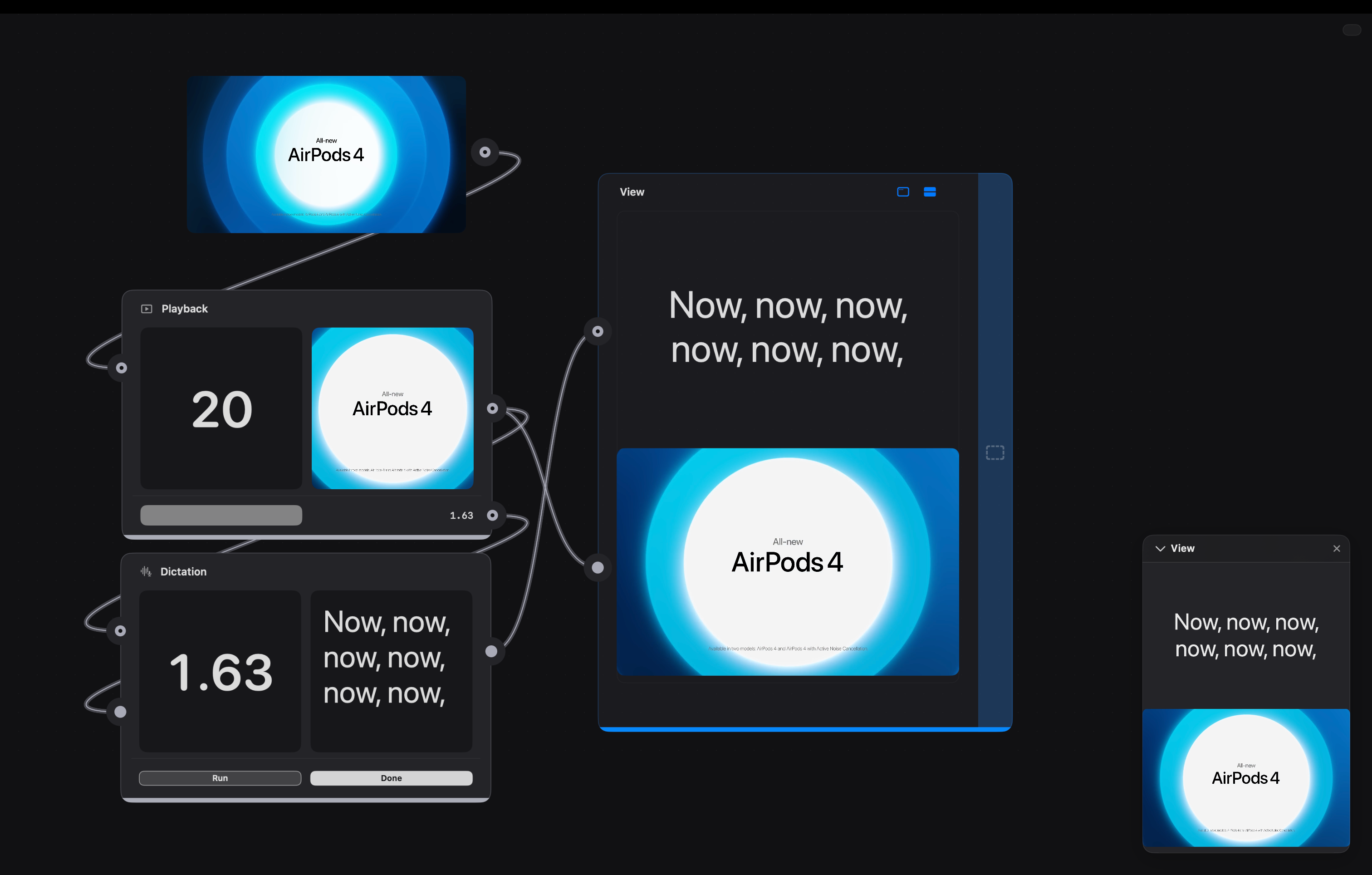
Playhead position, transcribed text and the frame itself, all readable on the canvas at once.
Layout you can animate
The View is a real patch now, with the same proportions, port rail and settings drawer as everything else on the canvas. Its Spacing and Padding are number ports, so a beat, a slider or a model output can drive them, and the layout breathes instead of sitting still.
Drag a cable over a View and it lights the same drop ring a patch does, so it's obvious where content lands. Reordering nested Views works exactly like reordering layers, and the drop preview lands on the slot it promised. Padding starts at 0, so a View is flush until you decide otherwise. Nest a View inside another and move it as one piece. Add a Touch region, a scrolling image strip, a Collection, a Slider or a Tab Bar, and try the interaction in the Viewer.
Read moreRead less
The View was merged onto the same Consumer template every other patch uses, which is why it now resizes, reorders and reveals its chrome like its siblings: one set of behaviours instead of a bespoke copy. Colour, Fill and Corners knobs went away, because the layers themselves already control those, and a crop of phantom knob dots that were swallowing clicks on the real ones went with them.
Because every asset arrives from the graph, rearranging is cheap: nudge an image and the version behind it follows, swap the source and the composition survives.
Even Apple Maps is a layer now, not an app. The map renders in the composition and resizes like anything else, and latitude and longitude are just ports, so a language model extracting a place from text, a slider or a beat can fly the camera. It's MapKit on the same patch template as every other visual, which is why it composes instead of being a special case.
Comments sit on the canvas next to it all, and they hold pictures rather than just words, so the reasoning for a choice lives beside the choice.
Touch groups content into a region that emits Down and Tap. Scroll supports continuous, freeform and snapping movement; Collection publishes the chosen media; Tab View (Pro) switches between media and text panes. A wired selection or offset can take ownership from manual interaction. On iOS, a View with exactly one Tab Bar becomes a native tab controller and the Status Bar shows real device values; the rest of the composition keeps its authored geometry rather than reflowing. Tab View and Tab Bar are different patches.
Layers composing a view, with a comment holding the references the layout was judged against.
Watch it while you build it
Your composition plays full-size in a floating Viewer while the graph stays under your hands. ⌘3 brings it up, ⌘F takes it full screen.
Drag any corner and it resizes from that corner, then glides back to its home corner instead of snapping. Controls hide at rest, so nothing sits between you and the work. And when the motion is right, you don't screen-record around the chrome: the Viewer itself captures stills and records video of the composition, with app audio when the output tap is available, so a clip of a beat-driven layout arrives with the beat in it.
Capture is part of the graph too. The Capture patch is a nestable artboard with manual capture and record controls and graph-driven Capture and Record inputs; it publishes still images and finished recordings as ordinary outputs, so the result can be wired into the next step.
Read moreRead less
Opening and closing are instant, with no window-server churn. Resize is computed in screen space, so the grip stays under your cursor with no flicker. Capture moved out of the View patch and into the Viewer's header, where the recording actually happens.
The Viewer also survives stepping inside a component: edit a nested interior while the outer composition keeps playing.
Manual captures save to Downloads; captures triggered from the graph are kept inside the document for downstream use, and Image and Video outputs hold the latest successful result. Only one artboard records at a time. Native video, camera and 3D surfaces may show poster frames or be absent in offscreen capture, so recording doesn't promise every live surface. Ordinary video playback now loops by default.
The canvas is the product
A canvas that behaves
Alignment guides, distance rulers, marquee select, smooth pan and zoom, real undo. Number fields keep the decimals you type. Pull a cable into empty space and Creeza offers only the things that could actually connect there, and pointing at a patch in a big graph repaints that patch, not the document. Cable, pulse, hover and viewport updates are isolated so editing stays responsive while the composition runs; zoom out and patches can drop to simplified previews.
You can see everything
Images, video, spinnable 3D, text, colour, numbers, each step previews itself in place. Click any result to copy it out. Even the cables tell you what's flowing through them.
Most of it costs nothing
A large part of the library runs entirely on your Mac. No API key, no account, no Creeza credits, just work.
The big models, when you need them
OpenAI, Claude, Gemini, ElevenLabs, Stability and more are a patch away in Pro. The provider catalog is declarative, so adding one is a small change rather than a rebuild.
Ask, and it wires itself
Describe what you're after and Creeza drops in the right pieces, or writes a brand-new patch when nothing in the library fits.
Tidy up as you go
Wrap any messy cluster into a single reusable Component, name the few knobs that matter, and step back inside whenever you want to change it. Those named knobs are also what an engineer hooks into later.
The rest of your desk, docked
Drag a cable out of the graph and drop it into a chat. The image you just made becomes the thing you're asking about. (Pro)
Read moreRead less
Left: Claude, ChatGPT, Gemini, Meta AI and Grok as chats, live and always loaded, so switching never loses your place. (Grok is also a service your AI patches can run on, over in the library.)
Right: Figma, Google Stitch and Claude Design, social destinations like Instagram, or a real terminal if you want one. The panels are Pro; the Web rendering patch in the library is a separate thing.